 Supra 3D Capture
Shiny, Hairy, or Clear? Solving the 3 Toughest 3D Scanning Challenges
You’ve seen the conversion stats: 3D models on Shopify can boost sales and slash returns. You’ve downloaded Supra 3D Capture, and you’re ready to turn your inventory into interactive assets. But then you hit a wall. Your favorite glass vase looks like a melted ice cube, or your velvet-textured sneakers come out as a blurry mess.
Photogrammetry—the tech behind Supra 3D Capture—is incredibly powerful, but it relies on one thing: seeing surface detail. When a product is too shiny, too fuzzy, or completely transparent, the software gets confused.
If you’ve struggled with 3D scanning challenges for Shopify, don't give up. Most "impossible" products just need a few pro-level tricks to become 3D-ready.
1. The Mirror Trap: Shiny and Metallic Surfaces
Shiny objects are the "final boss" of photogrammetry. Because they reflect the environment, the software sees the reflection of your room moving across the surface as you move the camera. It thinks the object is changing shape.
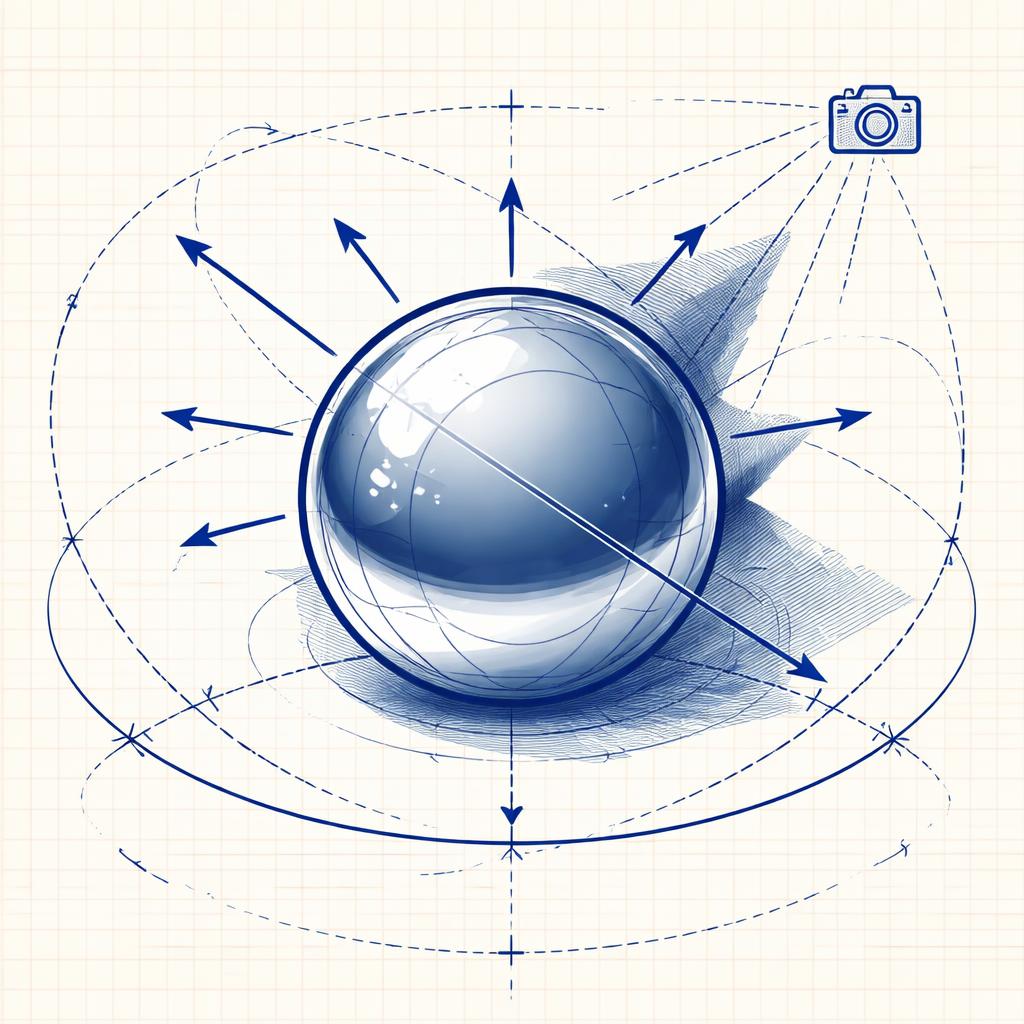
The Fix: Diffuse the Light The goal is to kill the "hot spots" and reflections.
- The "Cloudy Day" hack: Move your setup away from direct windows. Use a light tent or a simple white sheet to diffuse your lamps.
- Matte Spray: If the product allows it, a light dusting of "developer spray" or even dry shampoo can temporarily turn a mirror-finish into a matte surface that scans perfectly. You can wipe it off afterward.
- Polarization: If you’re using a professional camera, a circular polarizer can help, but for phone captures, focus on even, flat lighting.
2. The Ghost Effect: Transparent and Translucent Glass
Glass is invisible to photogrammetry because the camera sees through it to the background. The software can’t find a "surface" to latch onto.
The Fix: Add Temporary Texture To scan glass, you have to make it visible—at least for the 10-photo orbit.
- The Powder Trick: A light coating of cornstarch or baby powder gives the glass a "skin" that the camera can track.
- Fill it Up: If you’re scanning a glass bottle, fill it with a solid, opaque liquid like milk or colored water. This helps the software define the volume.
- The "Scanning Environment": Place the glass on a highly textured surface (like a piece of newspaper or a printed pattern) rather than a plain white table. This helps the software orient itself in space.
3. The Featureless Void: Solid Black or Smooth White Objects
Some products are just too "perfect." A matte black plastic case or a smooth white ceramic bowl often lacks the tiny visual landmarks (texture, grain, dust) that photogrammetry needs to align photos.
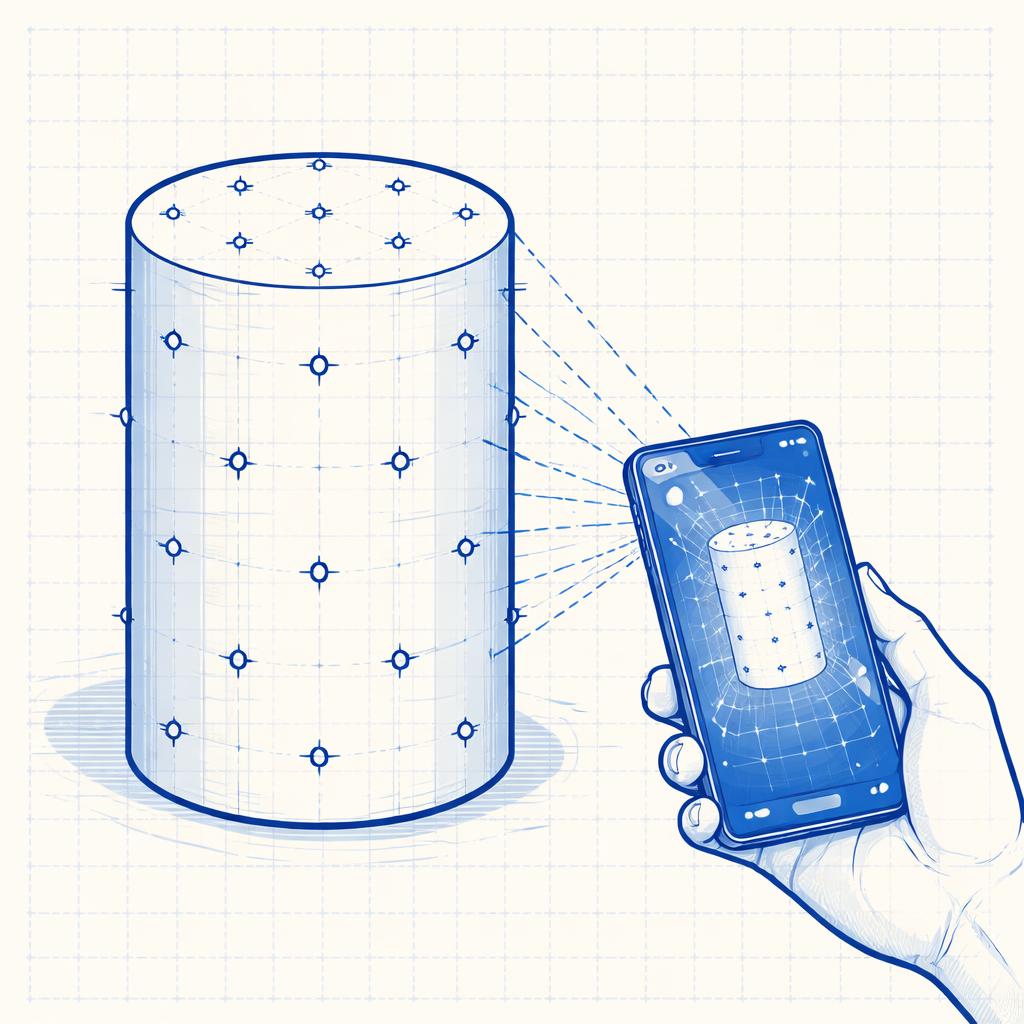
The Fix: Create Your Own Landmarks If the object doesn't have texture, you have to give it some.
- Sticky Notes or Dots: Place small, removable colored dots or bits of sticky notes on the object. The software will use these as "anchors." Once the 3D model is generated, you can often use a 3D editor to clean up these spots.
- Projected Patterns: Some pros use a projector to cast a grid or "noise" pattern onto the object. This creates a virtual texture that the camera can see.
How Supra 3D Capture Helps
While these challenges exist, Supra 3D Capture is designed to be as forgiving as possible. Our guided phone capture ensures you’re getting the right angles, which is half the battle when dealing with tricky surfaces.
Once you’ve captured your photos, our cloud photogrammetry engine handles the heavy lifting, turning those images into a clean GLB model. You can then use the in-browser 3D preview to check for any "noise" or artifacts before you one-click publish to your Shopify product media.
If you’ve mastered the 10-photo orbit but still find yourself stuck on a specific item, try these texture-adding tips. You’ll be surprised how a little bit of powder or a few sticky dots can turn a failed scan into a high-converting 3D model.
Ready to tackle your toughest products? Install Supra 3D Capture on Shopify and start your first session today.